1. GitHub Copilot
Best overall for everyday coding
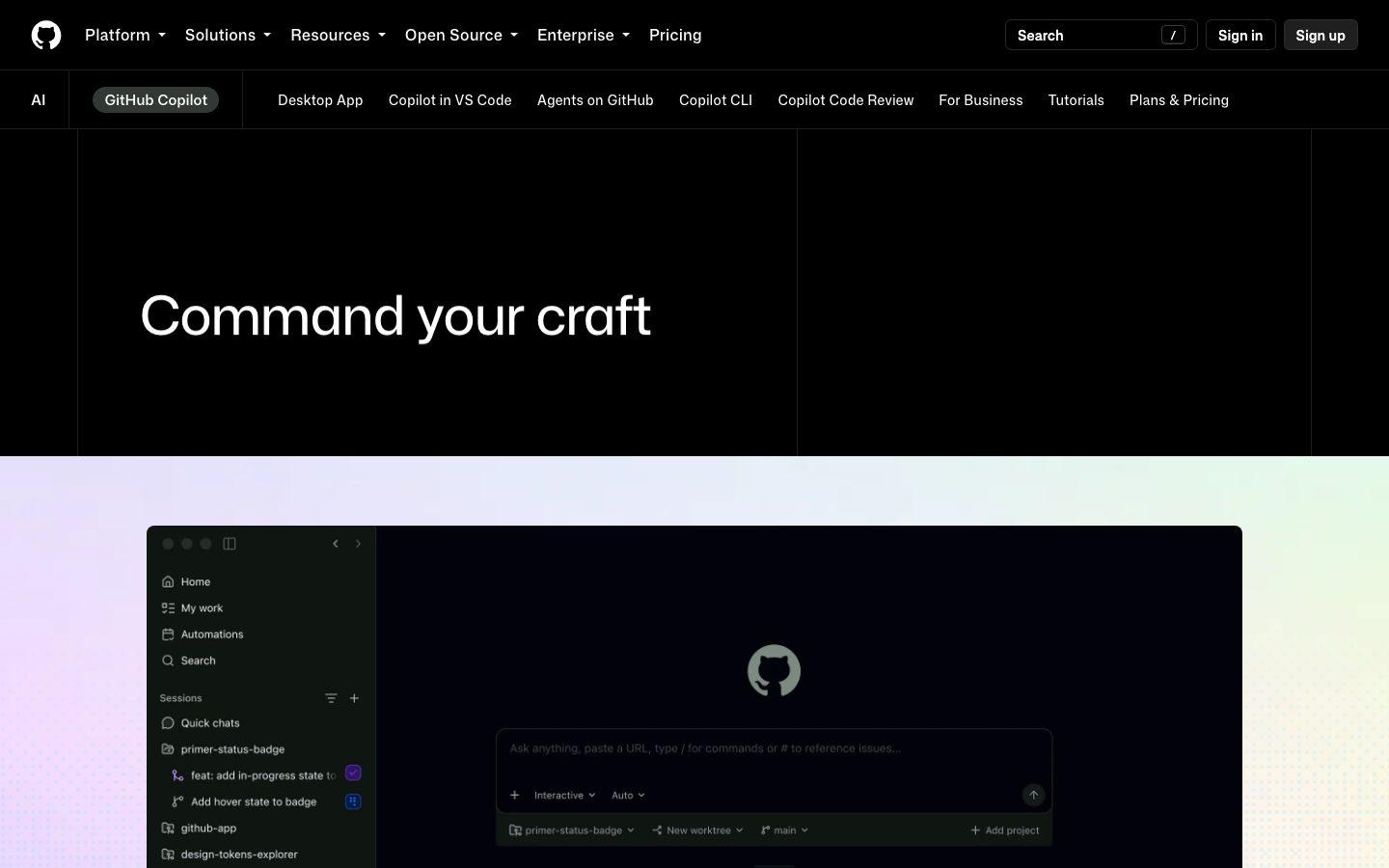
Best for: Individual developers and teams already working in VS Code or JetBrains IDEs who want fast, reliable suggestions without changing their workflow.
GitHub Copilot pairs inline code completion with a chat interface and an agent mode that can plan and execute multi-step edits inside your editor. Its biggest advantage is depth of integration with GitHub itself — pull request summaries, code review comments, and workspace-aware chat all sit on top of the repository context Copilot already has access to.
Key features
- Inline code completion and real-time suggestions
- Chat inside the editor
- Agent mode for multi-step edits
- Works in your editor, the terminal and on GitHub
- Customizable agents
- Pull request summaries and review suggestions
Used by
Duolingo · FedEx · American Airlines · Shopify · Stripe · General Motors · Mercado Libre
Strengths
- Works inside the editors most teams already use
- Tight integration with GitHub pull requests and Issues
- Broad language and framework coverage
- Enterprise plans with org-wide policy controls
Negatives
- Agent mode is less autonomous than dedicated agent-first tools
- Multi-file refactors can require more manual steering
- Usage limits on lower-tier plans
- Best value assumes you're already on GitHub
Ratings
- 9.1/10
- Overall
- 9.0
- Features
- 9.3
- Ease of use
- 8.7
- Value
2. Cursor
Best AI-first code editor

Best for: Teams that want an editor built around AI pair-programming from the ground up, rather than a plugin added to an existing IDE.
Cursor is a fork of VS Code redesigned around AI-assisted editing. Its Composer/agent mode can read across an entire project, propose coordinated multi-file changes, and apply them with review checkpoints. Because it's a full editor rather than an extension, it can offer tighter latency and richer context than plugin-based tools.
Key features
- AI agents that take on coding tasks
- Multi-file agent mode that edits across a codebase
- Inline diff review before changes apply
- Codebase indexing and semantic search
- Context-aware completions
- Choice of frontier models
Used by
Stripe · OpenAI · NVIDIA
Strengths
- Fast, low-latency inline completions
- Strong multi-file agentic editing
- Familiar VS Code-based interface and extensions
- Model choice across several frontier LLMs
Negatives
- Requires migrating off your current editor setup
- Heavier resource usage on large monorepos
- Pricing scales quickly for high-volume agent usage
- Newer product with a faster-moving feature set
Ratings
- 9.0/10
- Overall
- 9.3
- Features
- 8.8
- Ease of use
- 8.3
- Value
3. Claude Code
Best for autonomous, terminal-based agent work
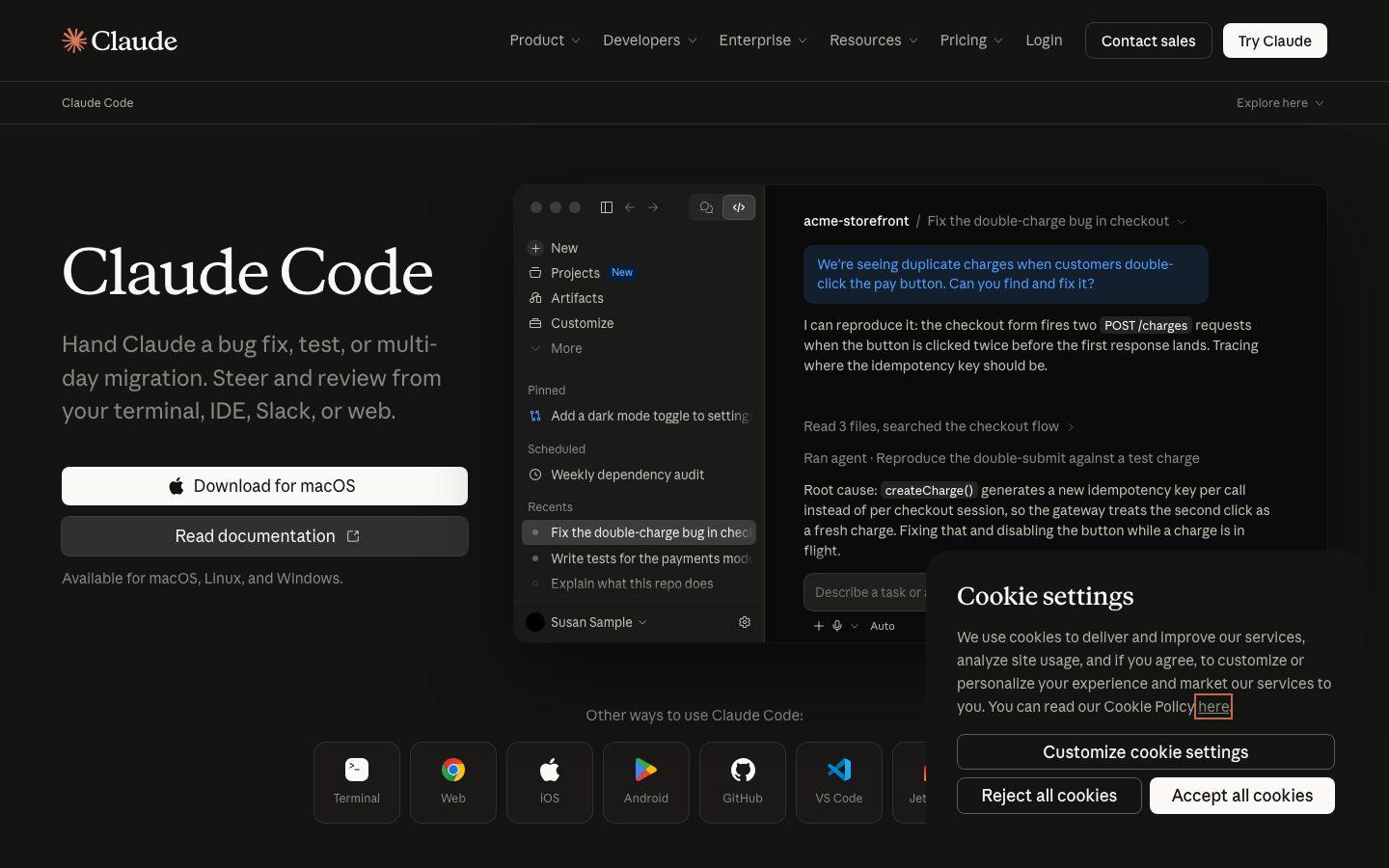
Best for: Engineering teams who want an agent that can plan, edit, run commands, and manage multi-step tasks directly from the terminal or IDE with minimal hand-holding.
Claude Code runs as a CLI and IDE-integrated agent that can explore an unfamiliar codebase, make a plan, execute file edits and shell commands, and iterate against test results with limited supervision. It tends to hold up well on long-horizon tasks that span many files and steps, which makes it a strong fit for larger refactors or unfamiliar repos.
Key features
- Understands your whole codebase
- Edits files and runs commands
- Handles bug fixes and migrations
- Agentic search for project understanding
- Runs in the terminal, IDEs and on the web
- Available on macOS, Linux and Windows
Used by
Ramp · Intercom · Notion
Strengths
- Strong reasoning on large, unfamiliar codebases
- Works from the terminal, so it fits any editor or CI setup
- Can execute commands and iterate on test output directly
- Good at multi-step tasks that span many files
Negatives
- Terminal-first workflow has a learning curve for GUI-only devs
- Usage-based cost can add up on long agent sessions
- Best results require clear task framing from the user
- Less visual/UI-generation focused than some alternatives
Ratings
- 8.9/10
- Overall
- 9.4
- Features
- 8.5
- Ease of use
- 8.2
- Value
4. Windsurf
Best for flow-state, agent-assisted editing
Best for: Developers who want an agent that stays aware of intent across a whole editing session, not just the current file.
Windsurf (formerly Codeium) is built around its Cascade agent, which tracks context across an editing session and applies coordinated changes across multiple files while keeping the developer in a continuous "flow" loop rather than a stop-and-review one.
Strengths
- Session-aware agent reduces repetitive re-explaining
- Generous free tier for individual developers
- Clean, focused editor interface
- Good multi-file change coordination
Negatives
- Smaller plugin/extension ecosystem than VS Code proper
- Enterprise features are less mature than larger competitors
- Occasional context drift on very large projects
- Fewer model choices than some competitors
Ratings
- 8.8/10
- Overall
- 8.9
- Features
- 8.9
- Ease of use
- 8.5
- Value
5. Replit Agent
Best for building and shipping full apps from a prompt

Best for: Founders and small teams who want to go from a natural-language description to a running, hosted app without assembling their own toolchain.
Replit Agent builds and deploys applications inside Replit's own cloud environment, handling scaffolding, dependency setup, and hosting in one place. It's less about assisting an existing engineering workflow and more about compressing idea-to-deployed-app time for smaller projects and prototypes.
Key features
- Describe an app and Replit builds it
- No coding required
- Free daily usage
- Build and scale without leaving the platform
- AI integrations built in
- Enterprise security controls
Used by
Databricks · Zillow · Gusto · Talkdesk
Strengths
- Fastest path from prompt to a live, hosted app
- No local environment setup required
- Good for prototypes, internal tools, and MVPs
- Built-in hosting removes a deployment step entirely
Negatives
- Less suited to integrating with an existing large codebase
- Hosting lock-in unless you export the project
- Complex, production-scale apps need more manual engineering
- Cost can climb for always-on hosted projects
Ratings
- 8.6/10
- Overall
- 8.6
- Features
- 9.0
- Ease of use
- 8.4
- Value
6. v0
Best for AI-generated UI and frontend scaffolding
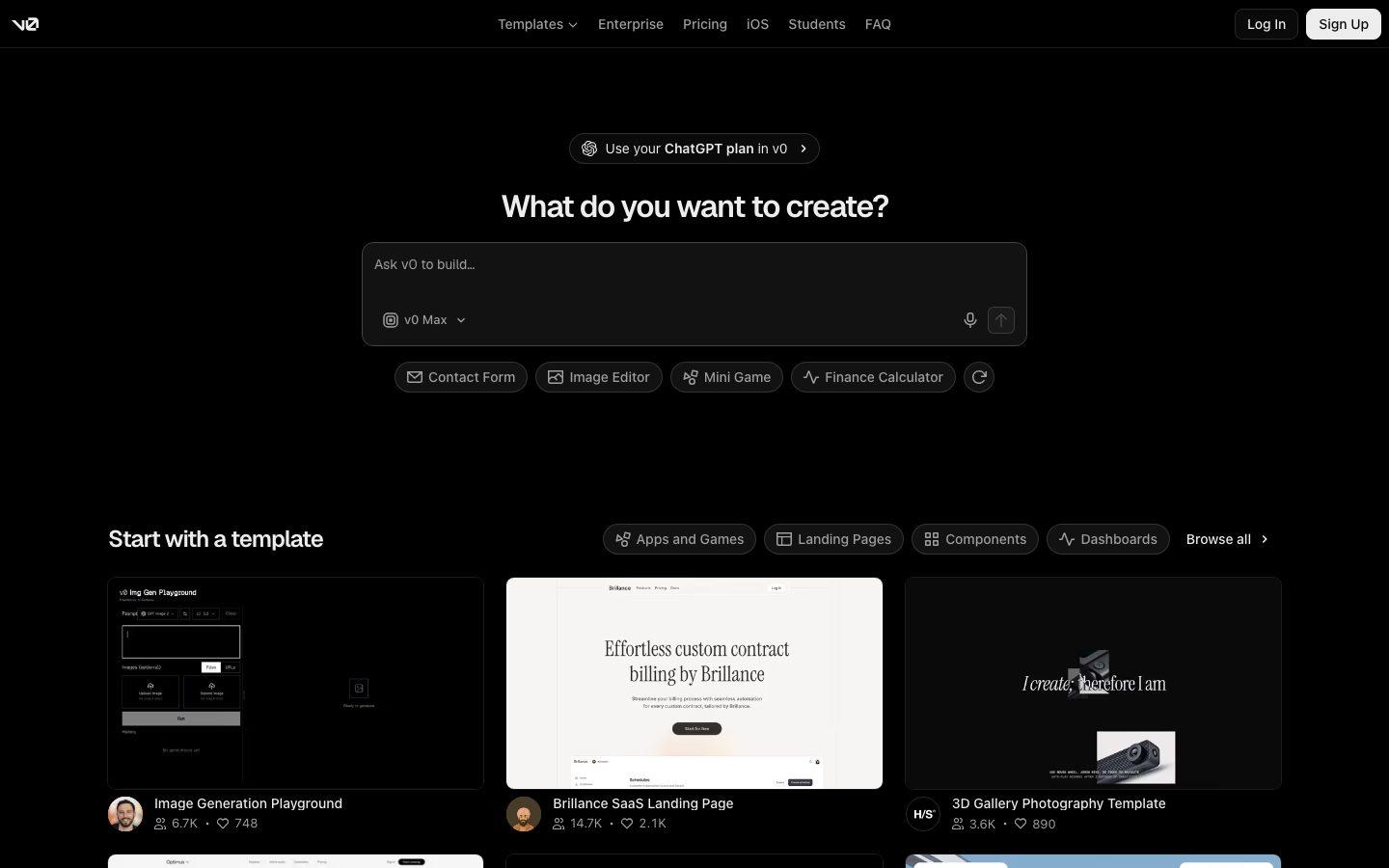
Best for: Frontend and product teams that need production-ready UI quickly, especially on React/Next.js stacks.
v0, built by Vercel, generates React and Next.js UI components from prompts, screenshots, or Figma-style descriptions, using shadcn/ui and Tailwind conventions by default. Output is meant to be copied or exported directly into a real codebase rather than living only inside a sandbox.
Key features
- Full-stack app generation from prompts
- One-click deployment
- GitHub integration
- Visual design mode
- Design system creation
- Mobile-ready site shipping
Strengths
- High-quality, idiomatic React/Tailwind output
- Fast way to scaffold UI before wiring up real data
- Good fit for teams already using shadcn/ui
- Tight integration with Vercel deployment workflow
Negatives
- Narrower scope — UI generation, not full-stack logic
- Best results assume a React/Next.js/Tailwind stack
- Generated components still need real data/state wiring
- Less useful for backend-heavy or non-JS projects
Ratings
- 8.5/10
- Overall
- 8.4
- Features
- 9.1
- Ease of use
- 8.2
- Value
7. Amazon Q Developer
Best for teams standardized on AWS
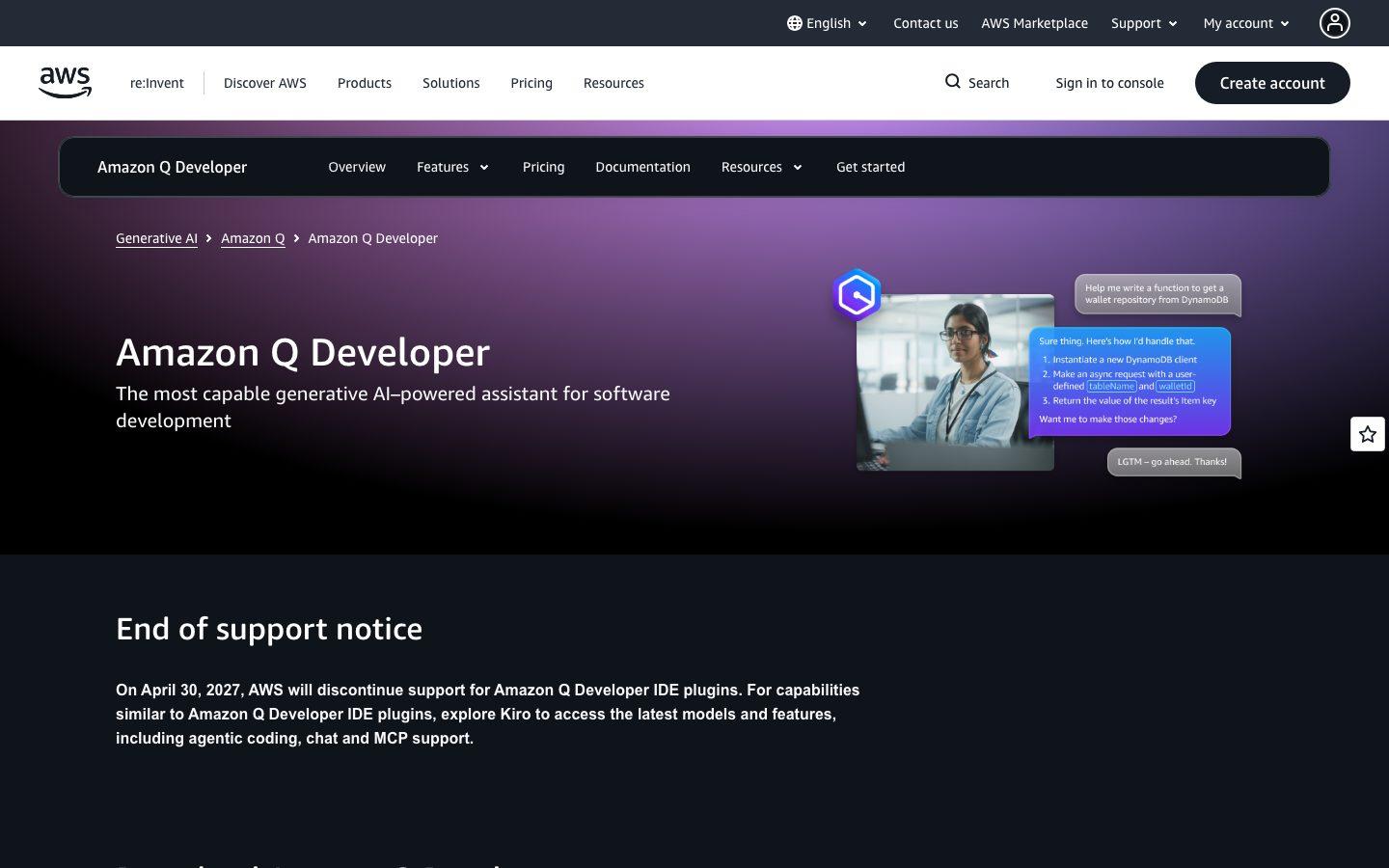
Best for: Engineering orgs already deep in the AWS ecosystem who want an assistant with native awareness of their cloud services and IAM context.
Amazon Q Developer brings AI assistance into IDEs and the AWS console with particular strength around AWS-specific tasks: service configuration, IAM permissions, and automated large-scale code transformations such as language or framework version upgrades.
Key features
- Code suggestions in your IDE
- Writes, debugs and refactors code
- Vulnerability scanning
- Accelerated .NET porting
- Help building AI/ML applications
- Works in the AWS Management Console
Used by
Accenture · SmugMug · Novacomp
Strengths
- Strong AWS service and infrastructure awareness
- Automated transformation tooling for major version upgrades
- Integrates with existing AWS IAM and security tooling
- Included at no extra cost on some AWS plans
Negatives
- Less compelling outside AWS-centric stacks
- Agent capabilities trail dedicated coding-agent tools
- Interface feels split across console and IDE contexts
- Smaller general-purpose model ecosystem than competitors
Ratings
- 8.3/10
- Overall
- 8.5
- Features
- 8.0
- Ease of use
- 8.6
- Value
8. JetBrains AI Assistant
Best for JetBrains IDE power users
Best for: Developers standardized on IntelliJ IDEA, PyCharm, WebStorm, or other JetBrains IDEs who want AI assistance without leaving that ecosystem.
JetBrains AI Assistant builds AI features directly into JetBrains' existing refactoring and project-indexing tools, so suggestions and chat responses are grounded in the same structural understanding of the project that the IDE already uses for navigation and refactors.
Strengths
- Grounded in JetBrains' existing code-structure indexing
- Consistent experience across the whole JetBrains IDE family
- Solid refactoring and code-inspection assistance
- No editor switch required for existing JetBrains users
Negatives
- Locked to the JetBrains IDE ecosystem
- Agentic, multi-file capabilities are less mature
- Pricing is layered on top of existing JetBrains licenses
- Smaller third-party model selection
Ratings
- 8.2/10
- Overall
- 8.2
- Features
- 8.6
- Ease of use
- 8.0
- Value
9. Sourcegraph Cody
Best for large, multi-repo codebases
Best for: Larger engineering organizations working across many repositories who need an assistant that can search and reason across the whole codebase graph, not just the open file.
Cody builds on Sourcegraph's code-search infrastructure to provide codebase-wide semantic search and context retrieval across many repositories at once, which makes it a natural fit for organizations that already use Sourcegraph for code intelligence.
Strengths
- Strong context retrieval across large, multi-repo estates
- Builds on mature Sourcegraph code-search infrastructure
- Good fit for enterprises with existing Sourcegraph deployments
- Flexible self-hosted and cloud deployment options
Negatives
- Most value depends on Sourcegraph search already being in place
- Steeper setup than editor-native tools
- Agentic editing is less central than in agent-first tools
- Overkill for small, single-repo teams
Ratings
- 8.1/10
- Overall
- 8.6
- Features
- 7.8
- Ease of use
- 7.9
- Value
10. Tabnine
Best for privacy-first, self-hosted deployments
Best for: Regulated or security-sensitive teams that need code assistance without sending proprietary code to a third-party cloud.
Tabnine's core differentiator is deployment flexibility: it can run fully on-premises or inside a private VPC, which matters most to teams under strict data-residency or IP-protection requirements where cloud-only tools are a non-starter.
Strengths
- On-prem / private VPC deployment options
- Strong fit for regulated or IP-sensitive environments
- Broad IDE plugin support
- Predictable, seat-based pricing
Negatives
- Suggestion quality can trail cloud-first competitors
- Agentic, multi-step capabilities are less developed
- Self-hosted setup requires internal infrastructure work
- Smaller model selection in self-hosted mode
Ratings
- 7.9/10
- Overall
- 7.8
- Features
- 8.0
- Ease of use
- 8.3
- Value